
Get Qind.
Start free on the web, save from Chrome, Edge and Firefox, and take your library with you on iPhone.
Web and desktop
Your whole library in any browser today. Apps for Mac and Windows are on the way.
- Qind on the web Any current browser Open Qind on the web
- Mac Coming soon
- Windows Coming soon
New here? Create a free account
Mobile
Share from Safari, record a voice note or scan a page, and find it again later.
- iPhone iOS 16.4 or later

- Android Coming soon
Web Clipper
Save a page, part of it, a note or a file without leaving the tab.
Brave and Arc install it from the Chrome Web Store. Safari isn’t supported.
- Chrome This browser Add to Chrome
- Edge This browser Add to Edge
- Firefox This browser Add to Firefox


The Web Clipper is a desktop browser extension. Open this page on your computer to add it, or use Qind on the web or the iPhone app from here.
The Web Clipper isn’t available for Safari. Add it to Chrome, Edge and Firefox, or use Qind on the web in Safari.
We couldn’t tell which browser this is. Choose its store above.
Android, Mac and Windows are coming soon. Choose Notify me and we’ll email you when yours is ready.
From interesting to useful.
Saving something is easy. Finding it when you need it is the part that matters.
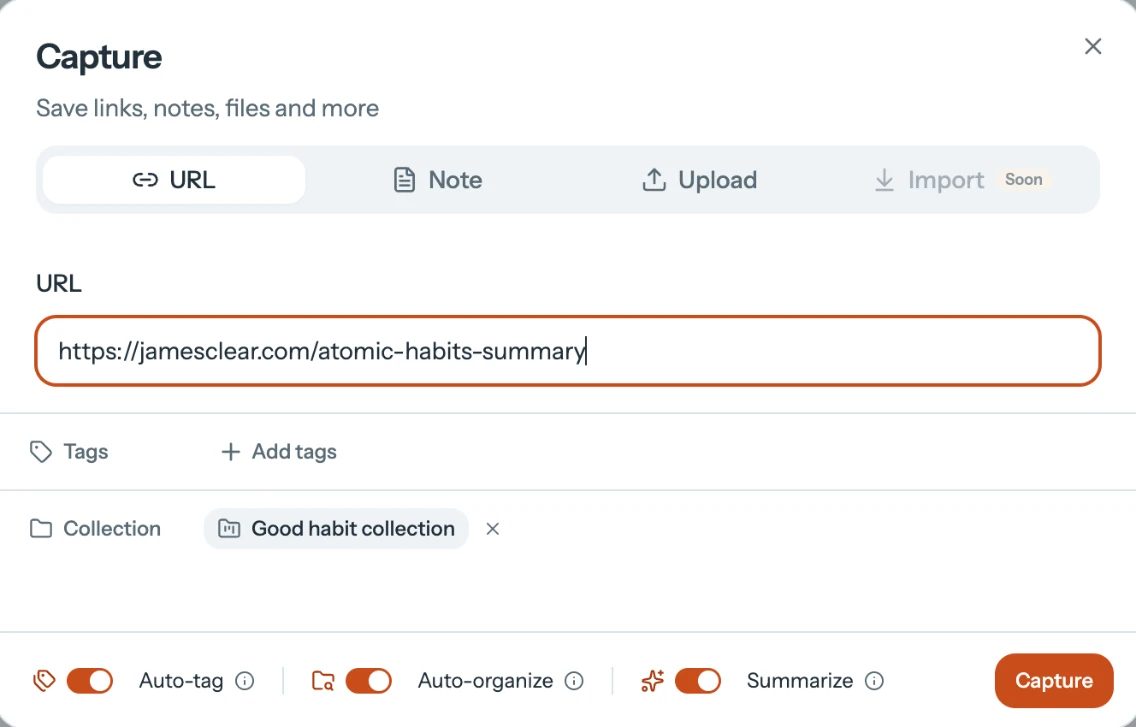
Save what catches your attention.
Save a link, a note or a file in a few seconds, and put it in a collection if you like. The Web Clipper does the same from the page you are reading.
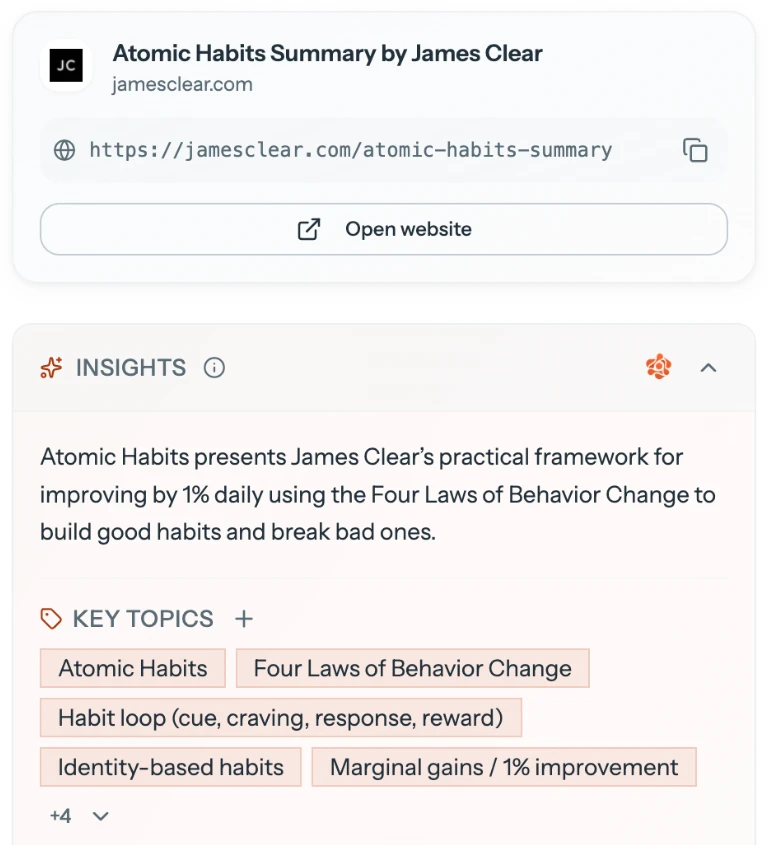
Give your ideas somewhere to live.
Qind reads what you save, writes a short summary and picks out its key topics, so it is ready when you come back.
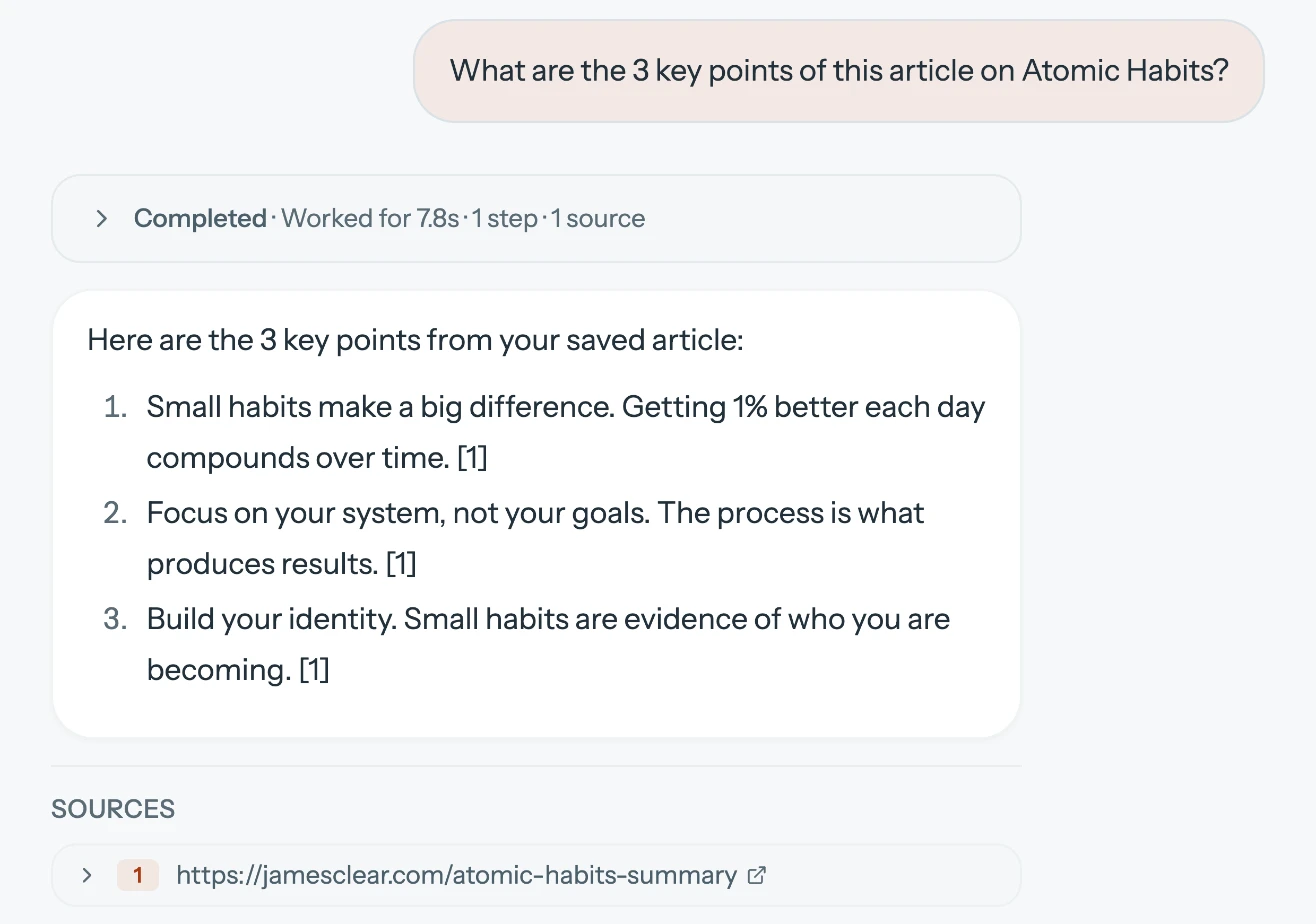
Come back with a question.
Ask in your own words. Answers show the saved items they come from. Open the source to read it again.
Before you start.
Is Qind available now?
Yes. Qind runs in your browser at qind.ai, the Web Clipper is available for Chrome, Edge and Firefox, and Qind for iPhone is on the App Store. Apps for Android and desktop are coming soon.
Which browsers support the Web Clipper?
Chrome, Edge and Firefox, each from its own store. Brave and Arc install it from the Chrome Web Store. Safari is not supported.
Can I use Qind without the extension?
Yes. In the web app you can save a link, write a note or upload a file, then search or ask about what you saved. The extension saves you the trip to another tab.
When will the Android and desktop apps launch?
We haven’t announced a release date yet. Choose Notify me and we’ll email you when your platform is ready.
Is my library the same everywhere?
Yes, wherever Qind runs today: the web app, the Web Clipper and Qind for iPhone use the same account and the same library, so what you save in one is there in the others.
Is Qind free?
Qind has a Free plan. You can start on it today. Qind offers Free, Basic, and Pro plans. Basic and Pro add more room, automatic tagging and filing, and digests.
Worth keeping? Start with Qind.
Give your ideas a place to live. Start on the web, or save straight from your browser.