
Research used to have a very obvious problem: finding information was difficult.
Today, we have almost the opposite problem. Search engines can surface millions of results in seconds. AI can summarize long documents, explain unfamiliar concepts, compare ideas, and help us explore a subject before we even know exactly what we're looking for.
And yet research can still feel strangely inefficient.
You find a useful paper in one tool, check its citations somewhere else, download the PDF, ask an AI assistant to explain part of it, save three related articles in your browser, copy an important paragraph into your notes, and leave another ten tabs open because you're not sure what to do with them yet.
A week later, you remember the idea.
You just don't remember where it came from.
The problem is no longer simply finding information. It's managing the entire journey from discovery to understanding—and making sure the useful knowledge survives after the research session ends.
That's why looking for one "best AI research tool" may be the wrong approach.
A better approach is to build a research stack.
The Best Research Tool Might Be Several Tools
Different stages of research require different things. Discovery is not the same as evaluation. Evaluation is not the same as reading. Reading is not the same as synthesis. And none of those automatically solve the problem of finding something again three months later.
The original generation of research tools already reflected this. Some focused on finding papers, others on citation analysis, literature mapping, reference management, or AI-assisted literature reviews. Trying to make one application perform every part of that workflow can actually make research harder rather than simpler.
So instead of ranking seven tools from "best" to "worst," let's give each one a job.
1. Elicit — Find and Analyze Research
Elicit is useful near the beginning of the research process, particularly when you're exploring academic literature around a question. Instead of relying entirely on traditional keyword searches, AI-assisted research tools can help surface relevant papers and make it easier to understand what a body of literature contains.Elicit supports AI-assisted literature reviews, paper discovery, summaries, and extracting information from academic research. That's an important distinction: the value isn't simply "AI can summarize a PDF." The real value is reducing the amount of manual work between asking a research question and identifying which papers deserve deeper attention.
But finding a paper is only the beginning. A paper can look highly relevant and still leave an important question unanswered: how does the wider research community treat it?
2. Scite — Understand How Research Is Being Cited
Citation counts are useful, but a number alone doesn't tell you why a paper is being cited.
A study might have hundreds of citations because later research supports it, discusses it, challenges it, or uses it as background. Those are very different signals.Scite approaches this part of the research process through citation context. It helps researchers evaluate how publications are cited, including whether later citations support or contrast with their claims.
That makes Scite useful for a different question than Elicit. Elicit can help you discover potentially relevant literature; Scite can help you investigate how particular research sits within the surrounding academic conversation.
And once you've found one important paper, another question usually appears: what else is connected to it?
3. ResearchRabbit — Explore the Research Around the Research
Research rarely follows a straight line.
You find one useful paper, which leads to another author, another study, an earlier paper, a related concept, and eventually an entire branch of literature you didn't know existed.
ResearchRabbit is designed around exploring those relationships. Rather than treating every paper as an isolated search result, it helps researchers navigate connections between papers, authors, and citations. It uses visual maps and relationships between research papers as a core part of the experience.
This is especially valuable when you don't yet know the exact keywords for everything relevant to your question. Sometimes the best source isn't found because you searched for its title or terminology. You discover it because it sits next to something you already know is important.
Now the research is growing. That's good—but it creates another problem.
You need somewhere to manage the sources that are becoming part of your work.
4. Zotero — Keep Academic Sources Under Control
At some point, research stops being exploration and starts becoming a collection.
You now have papers, reports, references, PDFs, authors, publication details, and citations that you may actually need to use. This is where reference management becomes important.
Zotero fills a more traditional but still essential role in the stack: collecting and managing research sources and helping researchers work with citations and bibliographic information.
This category matters because AI hasn't made references disappear. If anything, faster discovery means researchers can accumulate useful sources even more quickly. A workflow that helps you discover twenty relevant papers but leaves you manually managing all twenty afterward has only solved part of the problem.
But academic papers aren't the only things we research anymore.
Research often starts much earlier—and much messier.
5. Perplexity — Explore a Topic Before You Know Exactly What You're Looking For
Sometimes you aren't ready for a literature review.
You have a question.
Maybe you need to understand a market, a technology, a competitor, an unfamiliar scientific concept, or a new industry. You don't necessarily know the terminology yet, which sources matter, or even which questions you should be asking.
Conversational AI search can be useful at this stage because it allows research to begin as exploration rather than as a perfectly constructed search query.
The important thing, however, is not to confuse fast answers with finished research. An AI-generated response can give you direction, terminology, possible sources, and new questions to investigate. The underlying sources still matter, particularly when accuracy, evidence, or important decisions are involved.
Think of this part of the stack as reconnaissance.
It helps you understand the territory before you decide where to dig.
6. NotebookLM — Work Deeply With the Sources You've Chosen
There is a big difference between asking AI about the open web and asking questions about a specific set of materials you've deliberately selected.
Once you've collected reports, documents, papers, or other sources, source-grounded AI tools can help you work more deeply with that material. You can ask questions across documents, compare ideas, identify themes, and explore information without repeatedly opening every source manually.
This becomes especially useful when the bottleneck is no longer discovery.
You've already found the material.
Now you're trying to understand it.
But there's still a final problem that many research workflows quietly ignore.
What happens when the project is finished?
7. Qind — Keep What Becomes Valuable
Imagine you've spent two days researching something.
Elicit helped you discover papers. Scite helped you investigate citations. ResearchRabbit revealed related work. Zotero helped manage academic sources. Perplexity helped you explore unfamiliar questions. NotebookLM helped you work with a selected group of documents.
Great.
Now close everything.
Three months pass.
You're working on a different project when you suddenly remember:
"I researched something related to this."
Where is it?
This is where research stops being only a search problem and becomes a knowledge problem.
Qind's role in this stack isn't to pretend it replaces every specialized research tool. It doesn't need to. Its value is in what happens to useful knowledge across and after those research sessions.
Articles, PDFs, notes, images, audio, files, and other material you decide is worth keeping can become part of a searchable knowledge space. Instead of depending entirely on remembering filenames, folder structures, or the exact words used in something you saved, semantic search makes it possible to return through meaning.
That changes the purpose of saving.
You're not merely building an archive.
You're trying to make today's research available to tomorrow's work.
Research Has a Handoff Problem
Look at the stack again and something becomes obvious.
The difficult part isn't necessarily that any individual stage lacks good tools. We have increasingly powerful tools for discovery, citation analysis, exploration, reading, and synthesis.
The problem is the handoff between them.
A paper discovered in one place becomes a PDF downloaded somewhere else. An insight from that PDF becomes a note in another application. A useful web article becomes a bookmark. A conversation with AI contains an explanation you want to remember. A screenshot captures a chart. A meeting creates another piece of context.
Each individual action makes sense.
Collectively, they create fragmentation.
This is why adding more AI tools doesn't automatically create a better research workflow. Seven excellent tools can still produce seven separate information silos.
The stack only becomes valuable when information can survive the transitions between its parts.
Don't Ask Which Tool Is Best. Ask What Job It Should Do.
"What's the best AI research tool?" sounds like a reasonable question, but it assumes research is one task.
It isn't.
If you're discovering academic literature, you need one kind of tool. If you're evaluating citations, you need another. If you're mapping a field, organizing references, exploring an unfamiliar topic, or interrogating a selected set of documents, your requirements change again.
The better question is:
What stage of research am I trying to improve?
Once you ask that, tool selection becomes much easier. You stop comparing products that solve fundamentally different problems and start designing a workflow in which each tool has a clear responsibility.
That also prevents another increasingly common problem: collecting AI subscriptions simply because every new product looks impressive.
A research stack should reduce friction, not become another thing you have to manage.
AI Can Make Research Faster Without Making Knowledge Better
This distinction is going to become increasingly important.
AI dramatically reduces the cost of finding, summarizing, and producing information. We can explore more sources, ask more questions, generate more summaries, and move through unfamiliar subjects faster than before.
But speed creates its own problem.
If you can research five times faster but retain none of what you learn, you've accelerated activity rather than knowledge.
The goal shouldn't be to consume the maximum possible amount of information.
It should be to identify what matters, understand it, preserve the useful parts, and make them available when they become relevant again.
That requires something beyond AI capability.
It requires continuity.
The Best Research Stack Should Get More Valuable Over Time
A good research session answers today's question.
A good research system should also make tomorrow's question easier.
That's the difference between temporary research and accumulated knowledge.
If every new project begins with another blank browser window, another set of searches, another collection of tabs, and another pile of downloaded PDFs, you're repeatedly renting knowledge from the internet.
You use it for a moment.
Then you give it back.
A better system compounds.
The paper you found six months ago becomes useful in a new project. A note you wrote while researching one competitor unexpectedly answers a question about another. An article saved for one topic becomes relevant to a decision you hadn't even considered when you captured it.
That is when a research stack becomes more than a collection of tools.
It becomes memory.
The Best Research Tool Is a Stack, Not an App
There probably won't be one application that is best at every part of research—and there doesn't need to be.
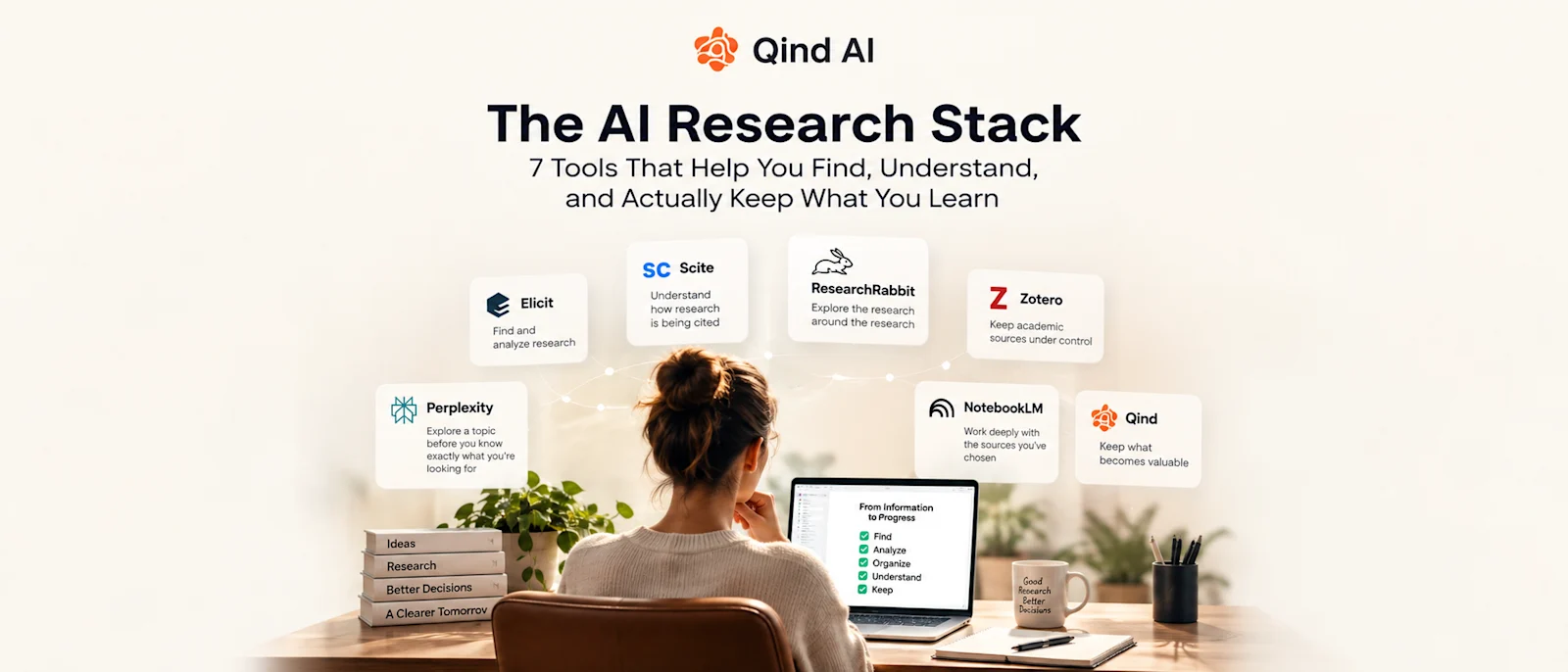
Elicit can help with research discovery and analysis. Scite can add citation context. ResearchRabbit can reveal relationships across literature. Zotero can manage academic sources. Perplexity can help explore unfamiliar territory. NotebookLM can help you work with a selected source set. Qind can help keep valuable material accessible beyond the research session.
The interesting question isn't which logo wins.
It's whether the workflow works.
Can you find good information?
Can you evaluate it?
Can you understand it?
Can you keep what matters?
And six months later, when your brain says:
"I know I researched this before..."
can you actually find it?
Because the future of AI research isn't just about finding answers faster.
It's about making sure the knowledge you already found doesn't disappear.