A mymind alternative
You saved it for a reason.
Put it to work with  Qind. Ask questions across saved articles, documents, notes, and recordings, and follow the answer back to its sources.
- No time limit
- Web clipper included
- Ask Qind included
- No card needed

Asked of the sample collection: “What should lead our studio launch, and why? Base the answer on the saved items in this collection, cite them, and keep it under 90 words.”
Qind working with a sample project. Open the walkthrough to see the saved sources. From “I saved this” to “here’s what we should do.”
The brief sets the constraints. The research adds context. Your notes hold the detail. Ask Qind to bring them into the same answer.
What you saved

One collection with four things in it, each saved a different way: an uploaded PDF, a written note, an uploaded recording and a clipped article.
- Studio launch brief
- Client call notes
- Voice memo - case study sign-off
- Positioning (marketing) - Wikipedia
What Qind answered
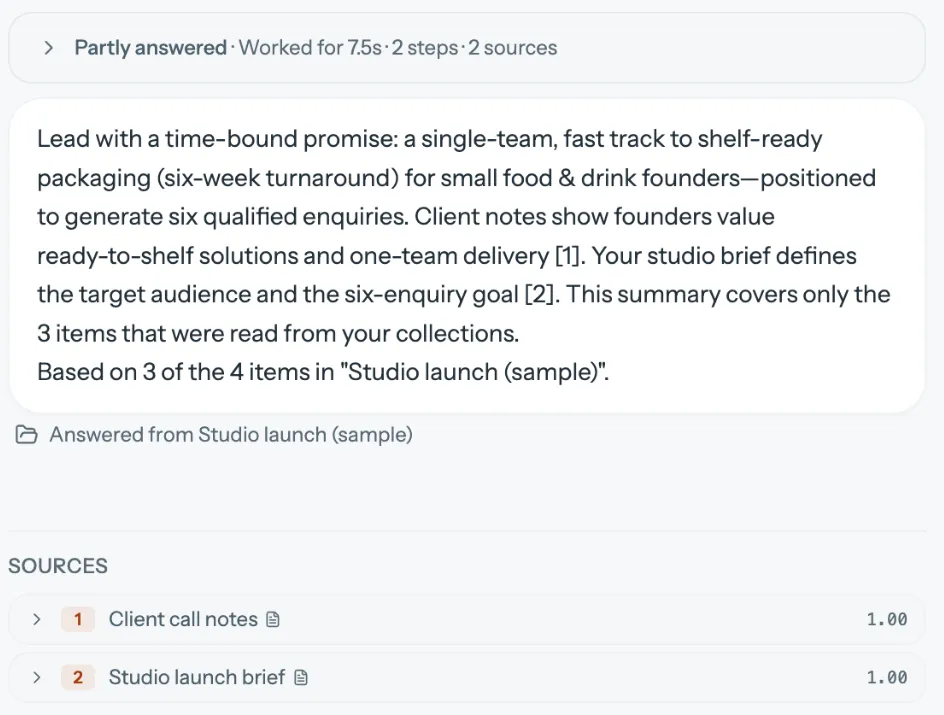
It led with the six-week promise and pointed to the notes and the brief behind it. Qind also says what it left out: this answer is marked partly answered, based on 3 of the 4 items.
Where it came from
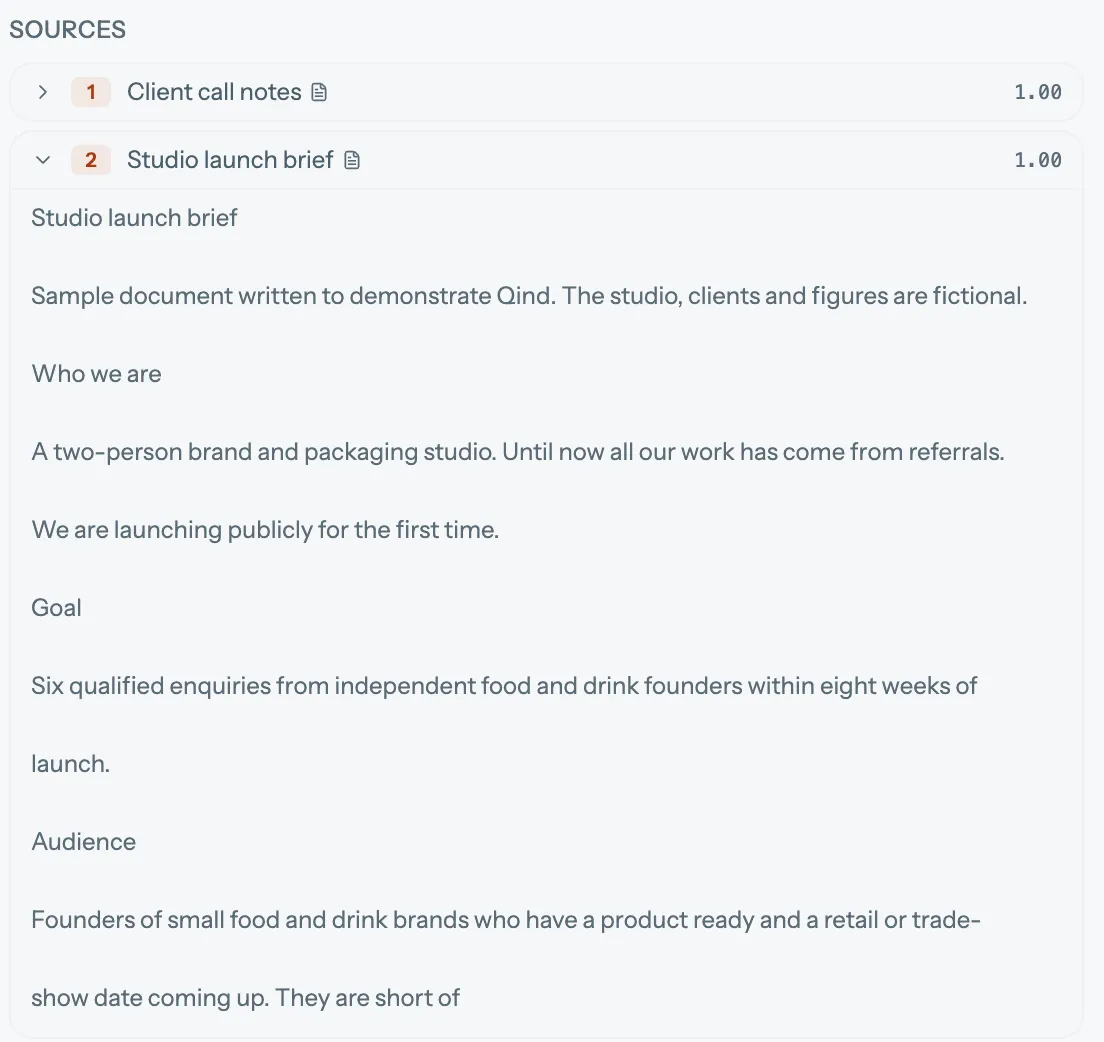
Open a source and read what Qind read. Here the brief supplies the audience and the goal of six qualified enquiries.
Studio launch is a sample project made to demonstrate Qind. The captures come from the real product, cropped but otherwise without edits. The studio, clients and voice memo are fictional, and the memo uses a synthesized voice. The article is Wikipedia’s “Positioning (marketing)”, CC BY-SA 4.0. This is not a customer case study.
The thought you said out loud belongs here too.
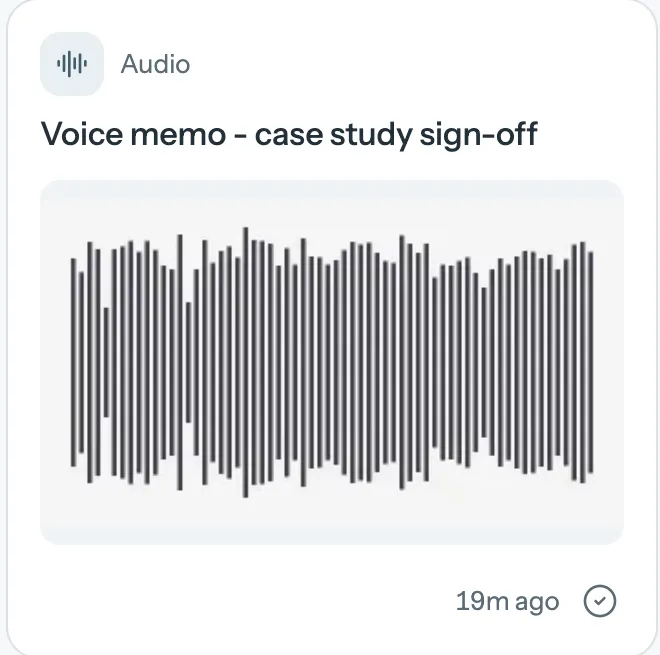
Record a voice note or upload audio, then find what was said alongside your articles, documents, and written notes. The useful detail does not have to become another tab.
The essentials are here too
Clip pages, keep notes, search by meaning, and turn on summaries. On Basic and Pro, Qind can also tag and file confident matches into collections. You can change the result.
Your saved knowledge can join the conversation.
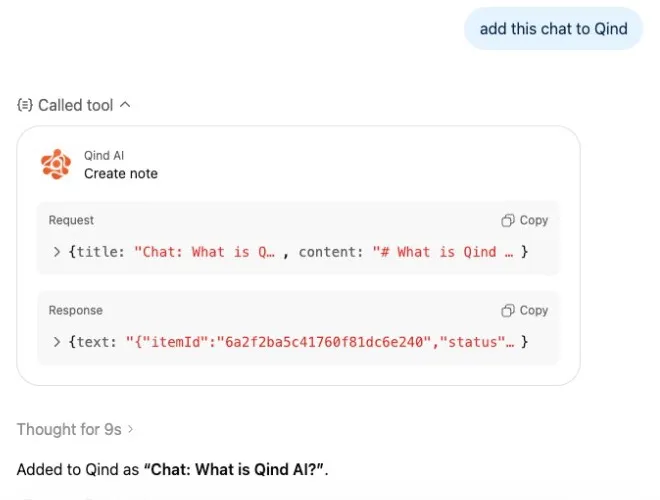 Qind. It is a separate chat, not part of the Studio launch sample.
Connect Qind to an AI assistant you already use. Retrieve something you saved, work with it there, and save a useful note back to your library.
Through Qind’s MCP connection. You authorize access.
What changes when you choose Qind?
Both products help you keep and find what matters. Compare how they fit the work you want to do next.
| Your workflow | mymind | Qind |
|---|---|---|
| Asking across saved research | Limited Documents AI tags, summaries and search for finding and recapping what you saved. Its pricing and overview pages do not describe asking questions inside the app. Beta Its API can connect your saves to Claude or ChatGPT, and the answers then come from that assistant. | Available Ask Qind answers from what you saved and lists the sources it used. You can keep a question to one collection. Asking is included on the free plan. |
| Working with recorded thoughts | Limited Video uploads up to 500MB a file on Mastermind. Its pricing and overview pages describe quick notes and writing tools, and do not describe audio transcription. | Available Record in the web app or upload audio. Qind transcribes it, and the transcript can be searched and used in answers. Transcription is subject to your plan’s usage limits. |
| Using your library from an AI assistant | Beta An API announced in July 2026, with read-only or full-access keys. mymind says a connected assistant can see everything in your mind, and that narrower permissions are in the works. | Available An MCP connection for supported clients such as Claude and ChatGPT. You authorize access, then the assistant can answer questions from your library with citations, search it, manage tasks and reminders, and save notes or bookmarks. Some assistants limit this by their own plan. |
| Starting without a subscription | Limited Its pricing page lists paid plans, with no free plan or trial. The basic Bookmarker plan has no AI features; those start on Student of Life. | Available A free plan with no time limit and no card needed. The pricing page lists what each plan includes. |
| Saving and organizing | Limited Saves notes, images, links, highlights and PDFs without folders. AI tags and Smart Spaces start on Student of Life; AI summaries and PDF analysis are on Mastermind. | Available Clip pages, upload files and write notes. AI summaries are on every plan. Available Tags new items and files confident matches into your collections as they arrive. Organize can group what is waiting into new collections, and smart collections gather items by tag. Automatic tagging and organizing are on Basic and Pro. |
| Apps and offline use | Available iOS, Android and macOS apps, and browser extensions. Its October 2026 iOS release added offline search, saving and reading. | Available Web app, and a web clipper for Chrome, Edge and Firefox. Planned iOS and Android apps with offline use are built but not publicly released. |
| Taking your library with you | Available Exports images and PDFs as files, plus a cards.csv of notes, links and highlights, from desktop Chrome or Edge. | Available Export your library from settings. |
mymind remains a strong option for visual collecting, with color search and same-look matching. Qind is worth trying when you want saved material to support an answer, a decision, or your next piece of work.
When mymind is the better choice
- You save mostly visual material and want to search it by color, keyword, brand or date.
- You want a private space that mymind describes as ad-free and tracking-free, with no social features.
- You want text recognition and AI tagging on the images you save, which mymind includes on its paid plans.
Limited means the feature exists, with the restriction described in that cell.
Written by Qind. Reviewed
against the sources below;
product details can change, and “does not describe” means we did not find it there. Spotted
something out of date?
Send us a correction.
You don’t have to move everything to see the difference.
Start with a few things you are working with now. Save an article, add a document or note, and ask a question that connects them.
- Create an account
- Add a few supported items
- Ask a question
Questions that matter before starting
Why consider Qind instead of mymind?
Consider Qind when you want to work across saved articles, documents, notes and recordings, ask questions about them, and check the sources behind the answer. The recorded example above shows that workflow in the product. If visual collecting is what you value most, mymind remains a strong option.
Does Qind organize what I save?
You can keep items in collections on every plan. On Basic and Pro, Qind can also tag items and file confident matches into collections. Items it is unsure about can stay in Unsorted, and you can change tags or move items yourself.
Can I use Qind with ChatGPT or Claude?
Yes, through an MCP connection for supported AI clients. After you authorize access, you can ask questions about what you saved and get cited answers, manage tasks and reminders, and save notes or bookmarks from the assistant. Some assistants limit this by their own plan, so check the setup guide for current requirements.
Can I bring my mymind library?
There is no one-click mymind import. mymind can export images and PDFs as files, plus a cards.csv of notes, links and highlights, and Qind can upload those file types, with each file becoming one item. We have not tested a full mymind export from start to finish, and Spaces and tags should not be expected to carry over. Starting with new material, or a few files you already have, is the simpler first step.
What is included for free?
The free plan includes AI summaries, the browser extension and Ask Qind, with no credit card and no time limit. Automatic tagging and filing are on paid plans, and the pricing page lists each plan’s limits.
Is my content used to train models?
Qind does not train models on your content. Your content is processed on Qind’s servers and, only if you allow AI processing, sent to its AI providers to provide the service, so Qind is not end-to-end encrypted.
Bring three things. Ask one good question.
An article, a document, a thought you wanted to keep. Start a small library and see what you can do with it.
Free plan. No card needed.